

Blog Detail Page Divi Deafult Features
1. If you don't want to display "Author" or "Date" or "Categories" or "Comments" On Blog detail page then Go to Divi -> Theme Options-> Layout -> Single Post Layout -> Choose which items to display in the postinfo section.
2. If you don't want to display "Comments" section On Blog detail page then Go to Divi -> Theme Options-> Layout -> Single Post Layout -> Show comments on posts

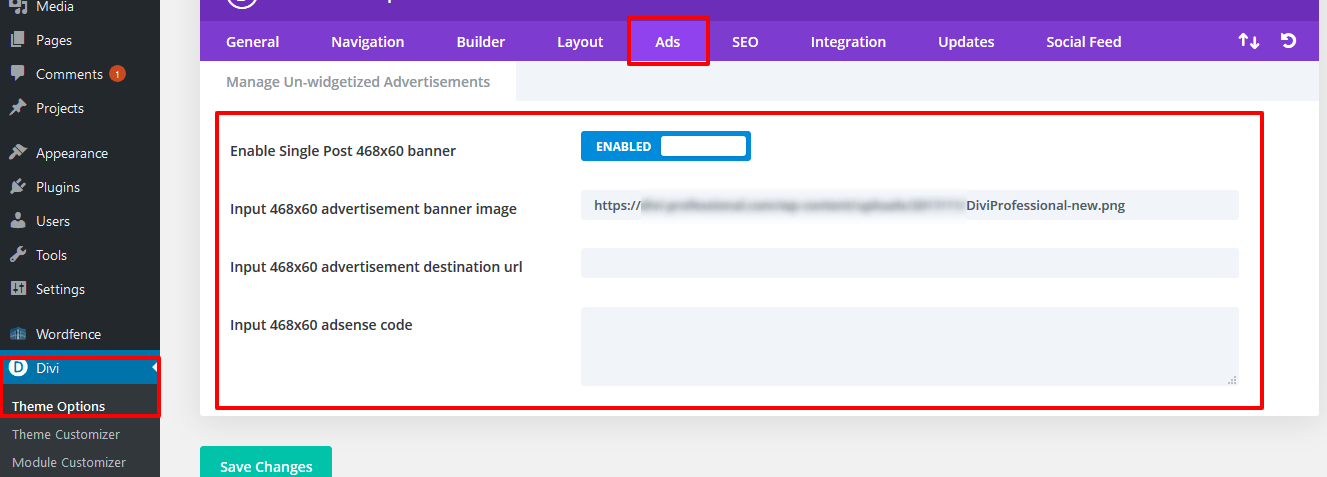
3. If you want to display ad banner on post then Go to Divi -> Theme Options-> Ads

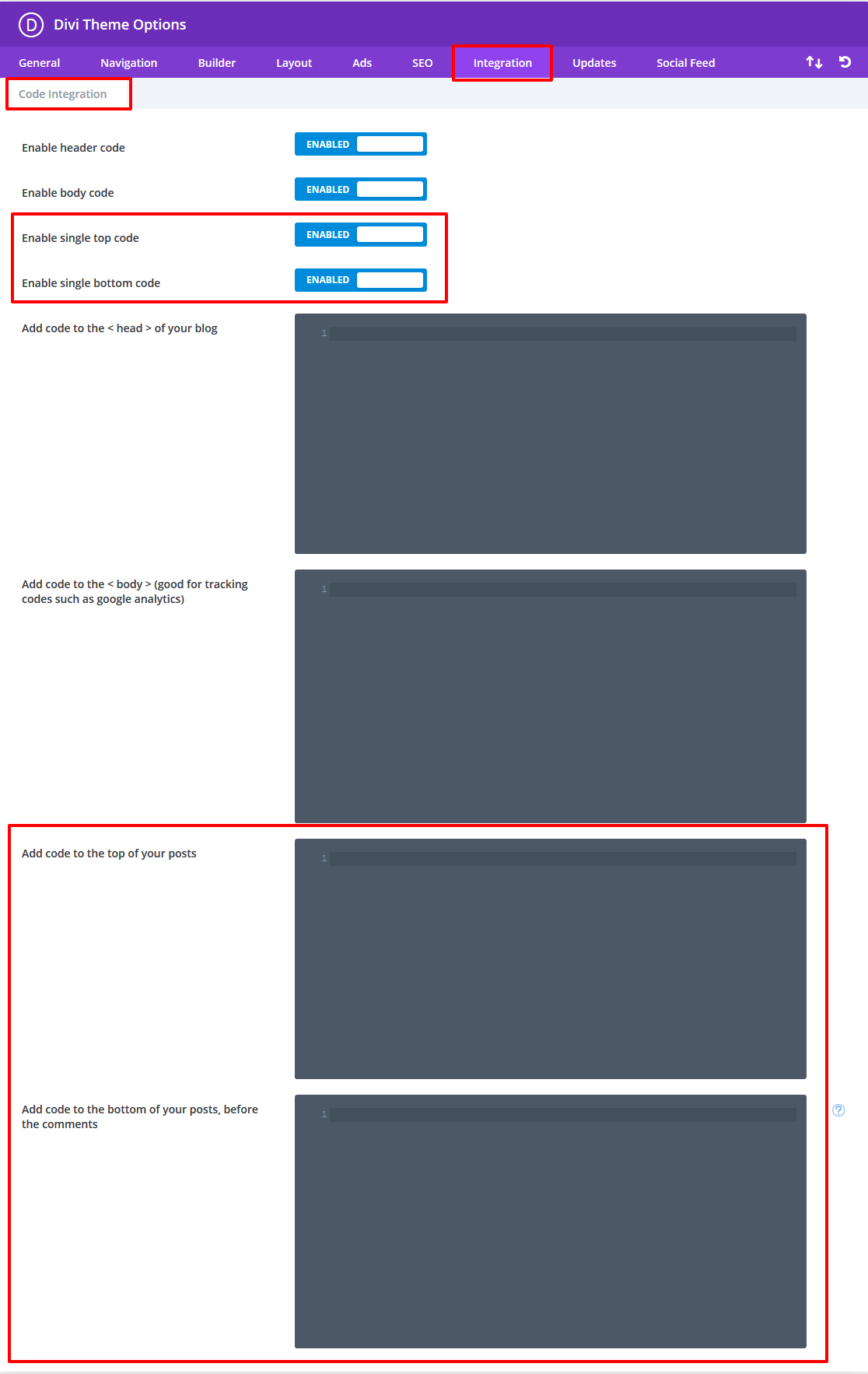
4. If you want to add HTML or tracking code on post then Go to Divi -> Theme Options-> Integration -> Code Integration.
Projects CPT Features
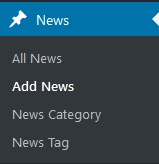
How to rename Project,Project Category & Project Tag label and frontend slug
Download code and paste on your child theme functions.php file.
How to Remove Project,Project Category & Project Tag
Download code and paste on your child theme functions.php file.



Thank you SO MUCH for this Post DP!
I needed to rename “Projects” in Divi to “Reviews” and copying your code and amending ‘News’ to ‘Reviews/Review’ was a breeze. The main reason for me wanting to do this was to be able to include a “Filterable Grid” for my Reviews whilst avoiding a messy plugin.
Making your code downloadable in one-click and boom! I was able to add this to my my [child] functions.php no problem. I did encounter a slight issue – the initial “<?php" in your code was already at the start of my functions.php file, so I needed to delete it from the beginning of your code as it produced an "error".
Once I deleted the first line of your code ( "<?php") everything worked perfectly. I'm not an expert so I thought I would mention this as it might help someone else reading this and encountering the same minor issue.
Again, thank you for posting this extremely useful information. I owe you beer! 🙂
Please share admin details via our email address
thank you so much, i searched for 2 days and tried many codes and none of them work, but yours did, thank you again!!